
A Fresh Look at Zoom: Exploring the New Web Portal Experience
Coming soon to a Zoom web portal near you: an update to look and feel of the user interface (UI). On September 30th, Zoom will be updating the look and feel of the Zoom web portal. Will this affect how you join meetings? No! This change only affects those who use the web portal to access recordings, transcripts, whiteboards, and account settings.
What is going to change? Here is a look at how you saw the web portal before and what the new version will look like on September 30th. Here are two comparison images of the old and new interfaces.
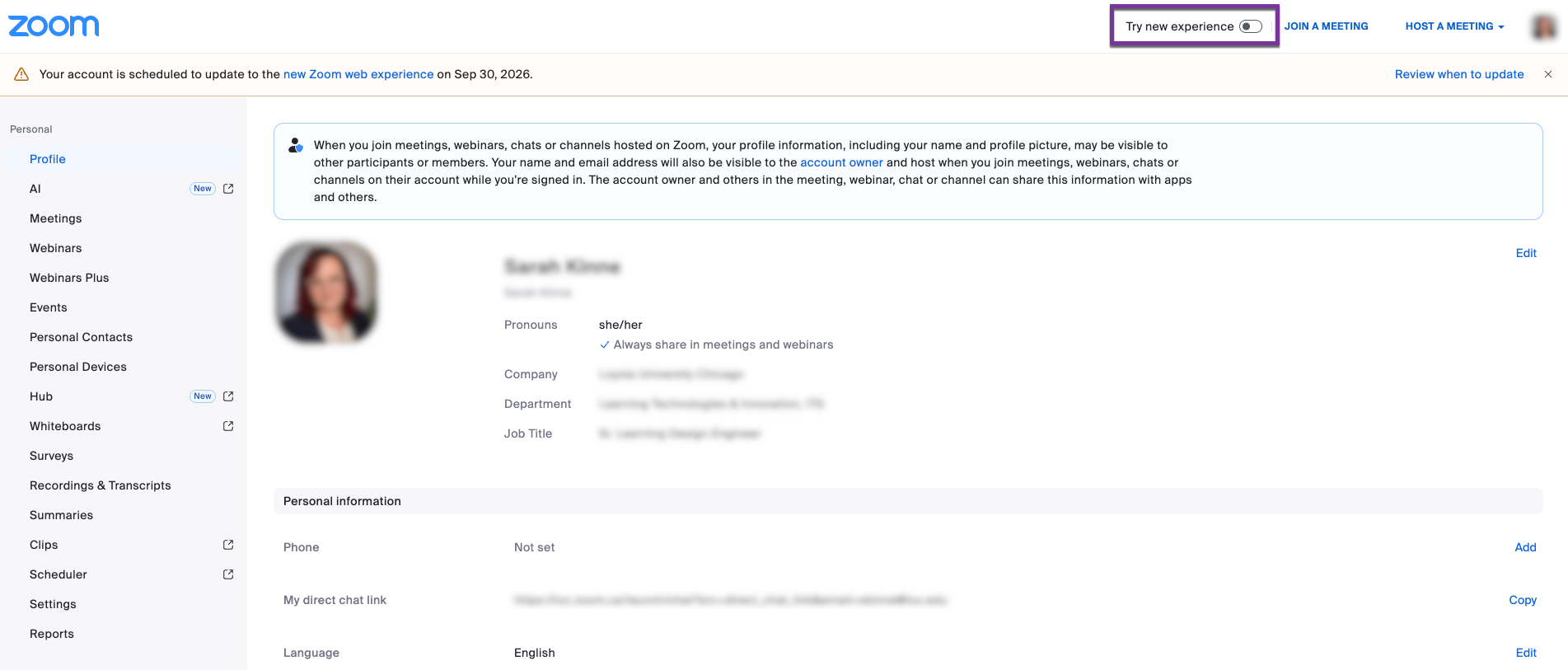
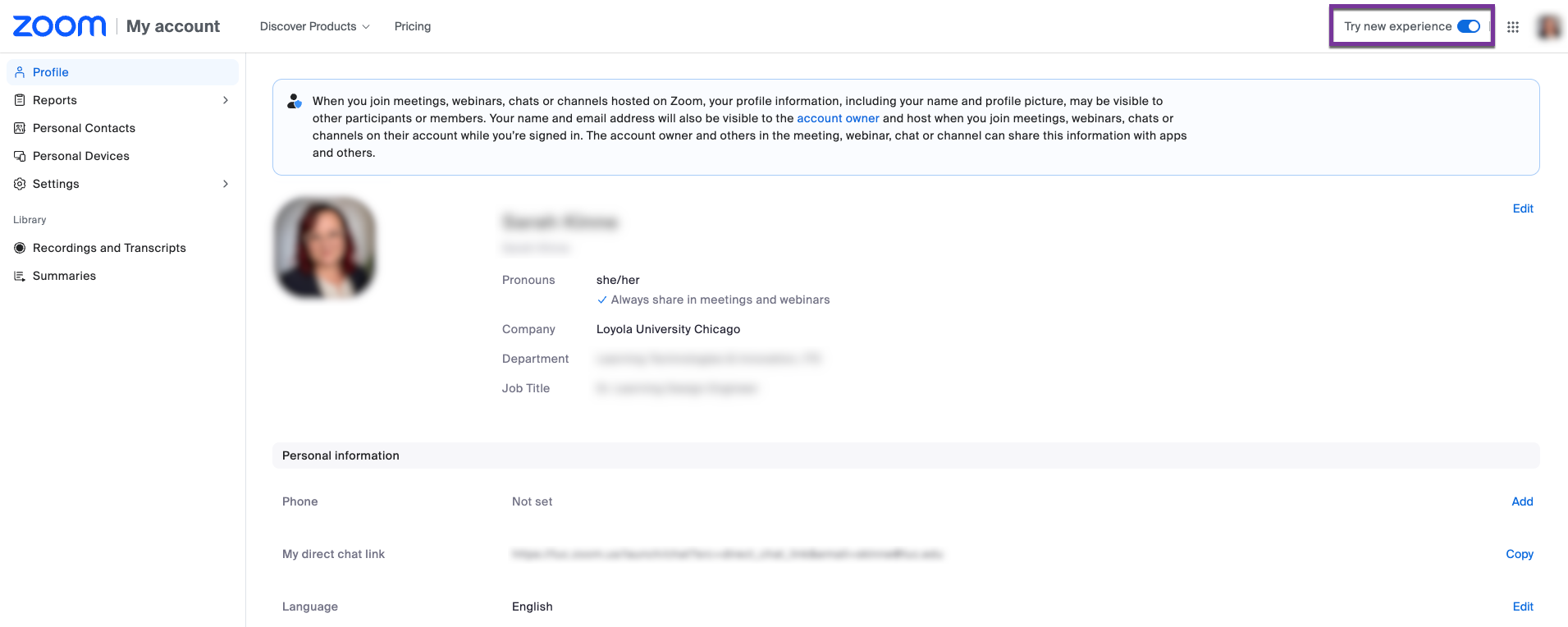
In the new interface, you can still access all the same features, but they will just be in a different place. If you want to poke around and look at the differences, go ahead and sign in to the web portal. Once you have signed in, you should see a toggle in the upper right corner where you can enable or disable the changes before September 30th.

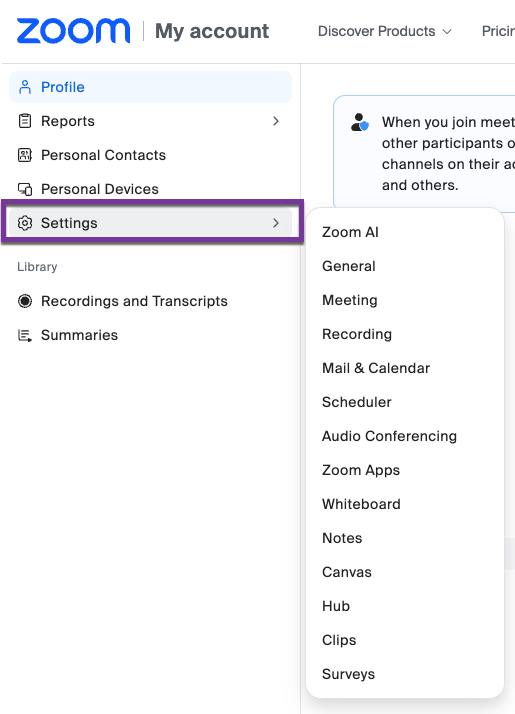
Looking to change the settings for all your meetings? All settings may be accessed via a pop-out menu. Here you can change your settings for meetings and look at all the features that Zoom has, such as Zoom AI, which is included in Loyola’s license. Explore the Zoom AI settings to fine-tune how you use AI in virtual meetings.
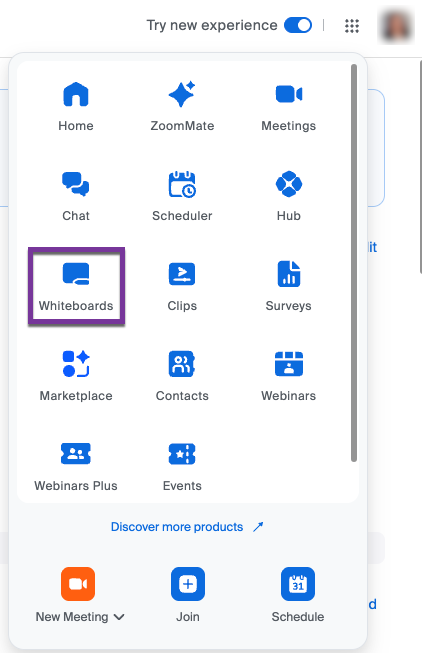
Looking for all your cloud-based recordings and whiteboards? You can locate recordings and transcripts in the menu on the left underneath the “Library” heading. To view saved whiteboards, select the waffle icon in the top-right corner of the screen.
Hopefully this article helps you navigate the new changes to the web portal if you were using it already, or it helped introduce you to a new way to manage meetings and add new tools to assist you in running your Zoom meetings efficiently! If you have trouble navigating the new Zoom web portal UI, reach out to the ITS Service Desk for assistance. As a reminder, these changes will go live on September 30th! After September 30th, 2026, all users will be automatically opted in to the new Zoom web portal experience.